L’application ePresse est sortie ce matin !
Il s’agit d’un kiosque numérique, qui rassemble neuf titres de presse
française dans une seule application iPhone et iPad. On y trouve pour
l’instant les éditions quotidiennes de Libération, du Figaro, du
Parisien et Aujourd’hui en France, de L’Équipe et des Échos,
mais aussi les éditions hebdomadaires du Nouvel Observateur, du
Point et de L’Express. Une présentation plus
complète
est disponible sur iGeneration.
Cette sortie marque pour moi la fin de plusieurs mois de développement
et de peaufinage, pour pouvoir au final présenter quelque chose de
qualité. Il y a des raccourcis et des imprécisions, bien sûr : c’est une
1.0. Mais n’hésitez pas à me dire ce que vous en pensez !

Larry Page, after approving the first ad campaign for Google in ten
years:
It’s obviously very contrary to what we normally do, and I think part
of the reason we wanted to do it is for that reason. It sort of
violates every known principle that we have, and every once in a
while, you should test that you really have the right principles. You
don’t want to end up too rigid.
As you know, I love how the Firefox UI can be customized with only a few
lines of CSS. This time, I wanted to simplify the Search box of Firefox
4 — because I don’t think we need a bright search-engine icon, and the
useless magnifying glass button. Here is the result:

Compare with the original theme:

And here are the few lines you can add to your
userChrome.css
to achieve this result:
/* Remove the magnifying glass icon on the right of the searchbox */
.search-go-container { display: none; }
.searchbar-textbox .textbox-input-box { padding-right: 7px !important; }

/* Replace the active search engine icon by a magnifying glass */
.searchbar-engine-image { display: none; }
.searchbar-engine-button {
  padding-left: 16px !important;
  background: url("chrome://browser/skin/Search.png") 4px 4px no-repeat;
}
Tested with Firefox 4.0b8 — but should work with Firefox 3.6 too.
La nouvelle interface d’Internet Explorer 9 a été dévoilée hier. Elle a
ses défauts, mais son côté minimaliste est vraiment agréable.
D’ailleurs, avec Firefox 4 bêta, il y a moyen d’obtenir la même
interface — sans extension, simplement en réorganisant les barres
d’outils.
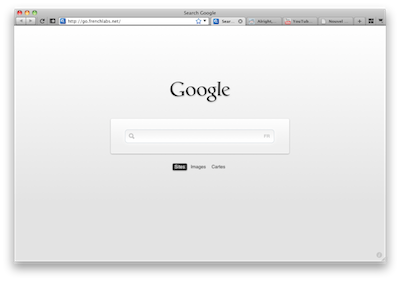
Il suffit de glisser la barre d’adresse et les quelques boutons
nécessaires dans la barre d’onglets, et voilà : une interface simple à
la IE9.
J’ai bien aimé la musique
d’Inception. Il n’y
a pas vraiment de thème qui reste précisément en tête : on se souvient
d’une idée générale, de fragments — ce qui colle très bien avec les
rêves imbriqués du film.
Bref, Hans Zimmer a
mentionné ses sources d’inspiration et la manière dont il avait composé
ces musiques dans plusieurs interviews — donc on voit à peu près d’où
certaines choses viennent. N’empêche, l’entendre, c’est encore autre
chose. Enjoy.